AI coach chat and Coach mode in Spodi
You can now chat with the AI coach, and coaches have a web workspace to plan and review their clients’ training. Chat is available with a Premium subscription in iOS 3.0.0. Coach mode is available in beta.
Spodi now has AI coach chat and Coach mode. Chat is available with a Premium subscription in iOS 3.0.0. Get Premium.
Coach mode is available in beta. To join as a coach, write to support@spodi.ru.
Discuss your workout and get a plan
Open AI Coach → Chats from Workouts or Templates. Ask which workout to choose today, what to substitute an exercise with or how to adapt training to your needs.
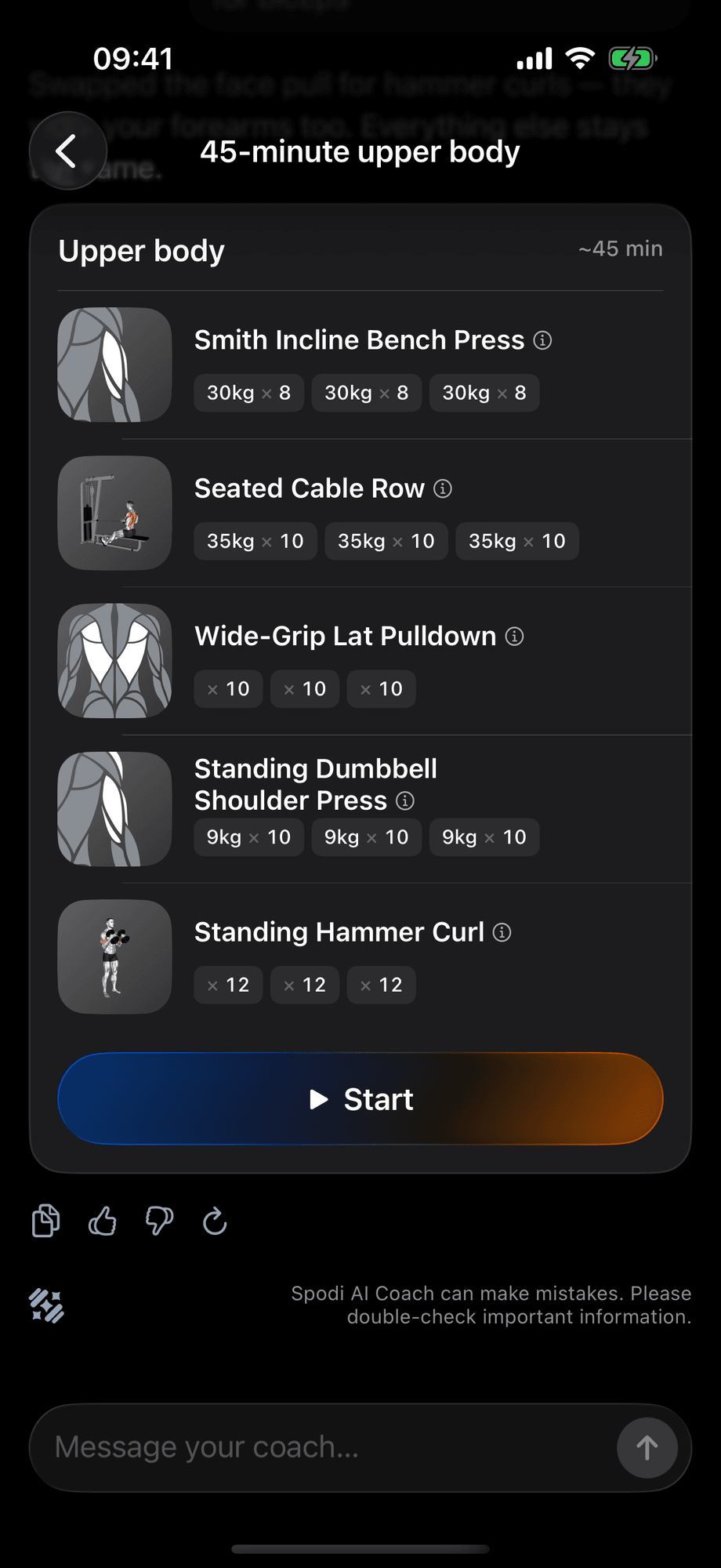
The AI coach considers your profile, the last 60 days of workouts, sets, notes and comments from your human coach. Plans arrive as cards with exercises, sets, reps and weights.
Ask to “replace squats” or “make it shorter” to get an updated card. Tap Start to open the workout.
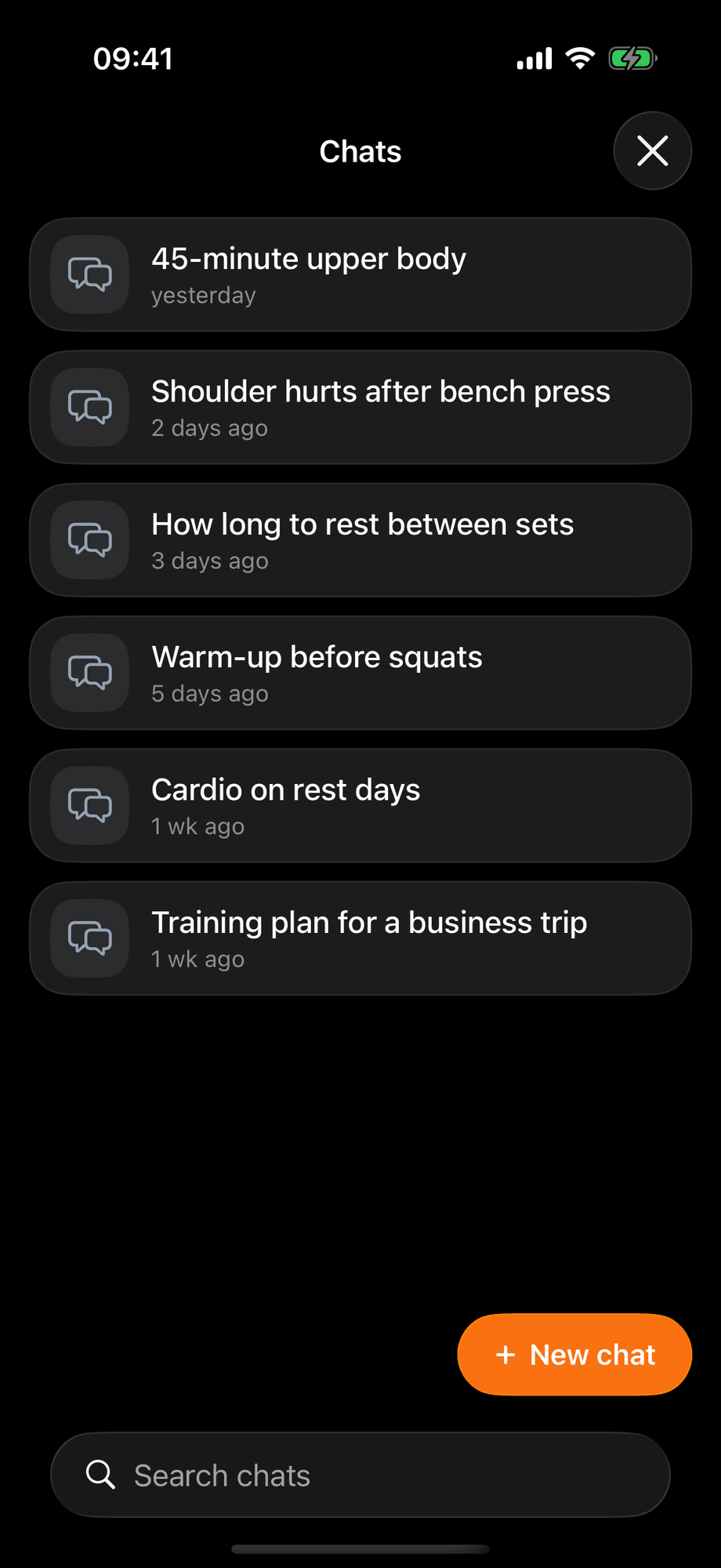
A chat for each topic
Create separate chats, rename them or delete them. Conversations follow your account across devices.
The AI coach can make mistakes. It does not diagnose or prescribe treatment. When you mention pain, it aims to clarify the situation, suggest medical advice and offer options that avoid loading the affected area.
Your coach’s plan alongside your results
In Coach mode, coaches use a web workspace while clients log workouts in the app or browser. Accept your coach’s invitation to connect. They can see workouts, stats and records. Either side can disconnect.
A program in Spodi is called a mesocycle. It contains microcycles, each with its own set of workouts. Microcycles do not have to match calendar weeks: coaches choose their length and number of workouts to suit the client. The program matrix lets coaches set the load for each stage and compare the plan with the results.
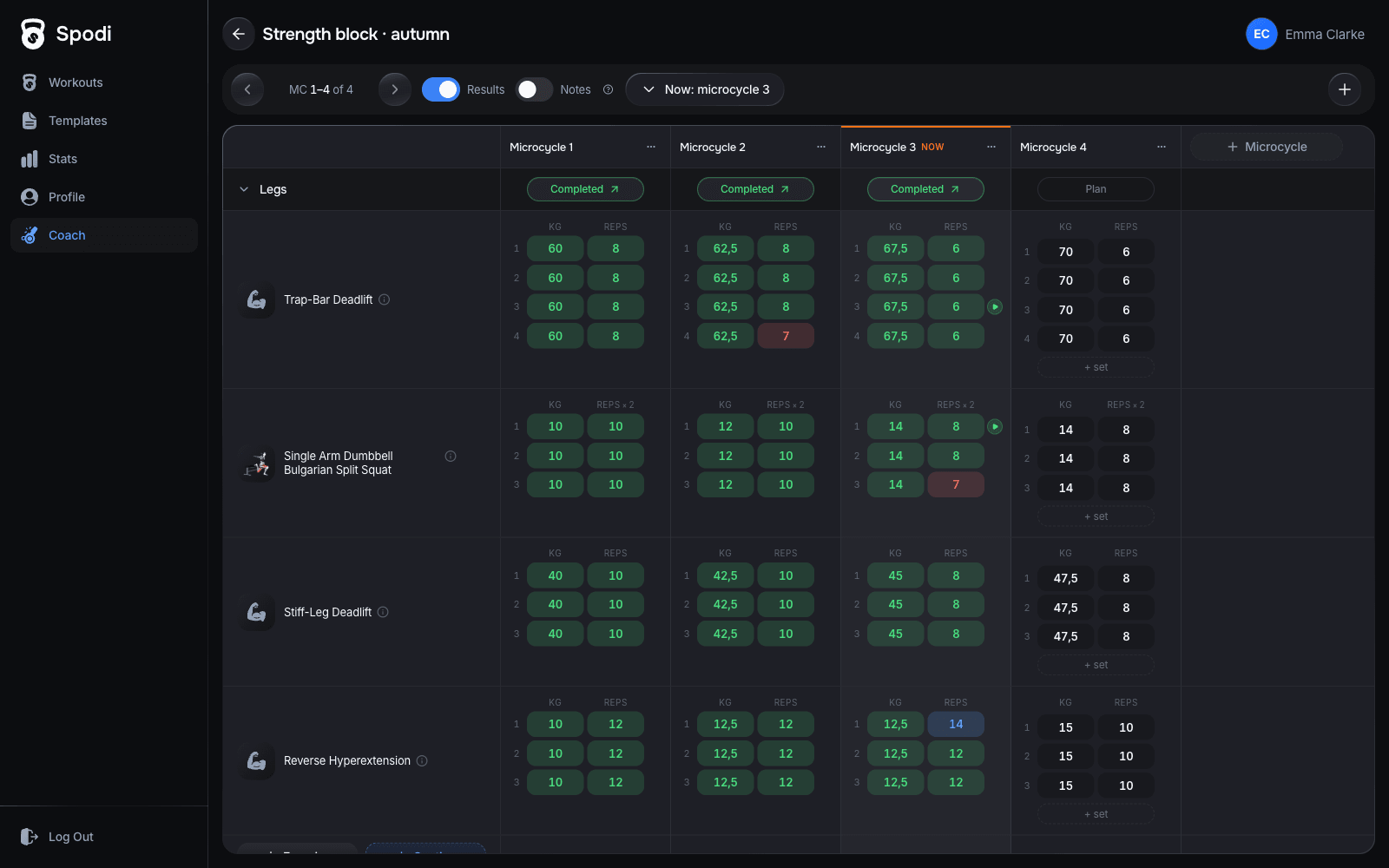
Once published, the current microcycle appears in Upcoming workouts, ready to start with one tap. The coach opens the next microcycle. Started and closed workouts keep their original plan.
Feedback inside your workout
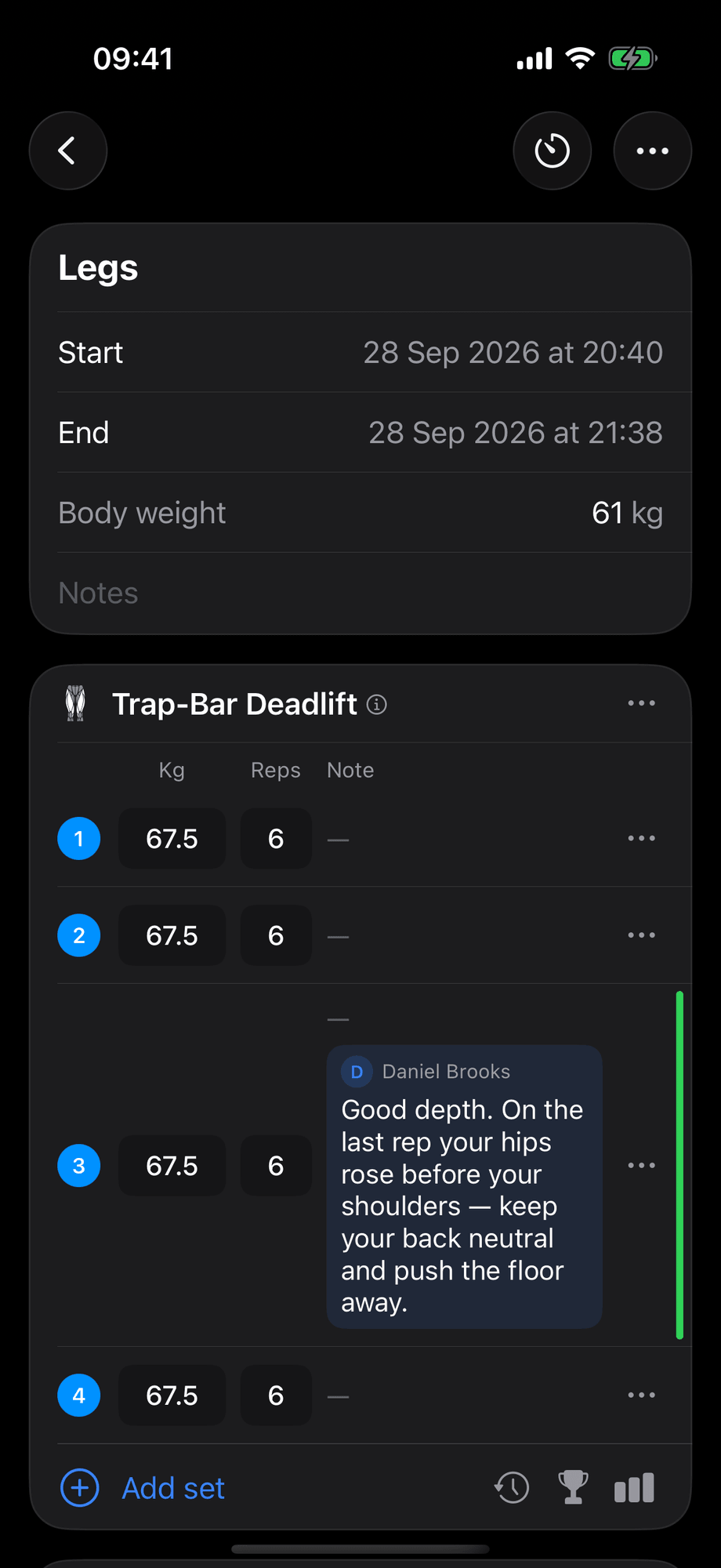
Coaches leave comments on exercises and sets. Clients see them in Coach feedback and receive one notification for a group of comments.
Premium lets you attach set videos. To share them with your coach, enable Set videos under Coaches in your profile. Sharing is off by default. Access to set notes is managed alongside it.
Chat allowance
Premium includes 500 messages over the past 7 days. Check your usage in AI Coach settings.
Ready to level up your training?
Track smarter. Start free, upgrade only if you need more.