Spodi iOS 2.6: карта активности, рекорды и статистика
За релизы 2.3–2.6 появилось несколько крупных обновлений: карта активности, переделанные рекорды, новая статистика, тактильный отклик и заметно более плавная работа.

С прошлого большого поста Spodi прошёл путь от 2.2 до 2.6. Это не список мелочей, а четыре крупные вещи, ради которых стоит обновиться.
Ниже — что изменилось, где это искать и как пользоваться.
🧍 Карта активности
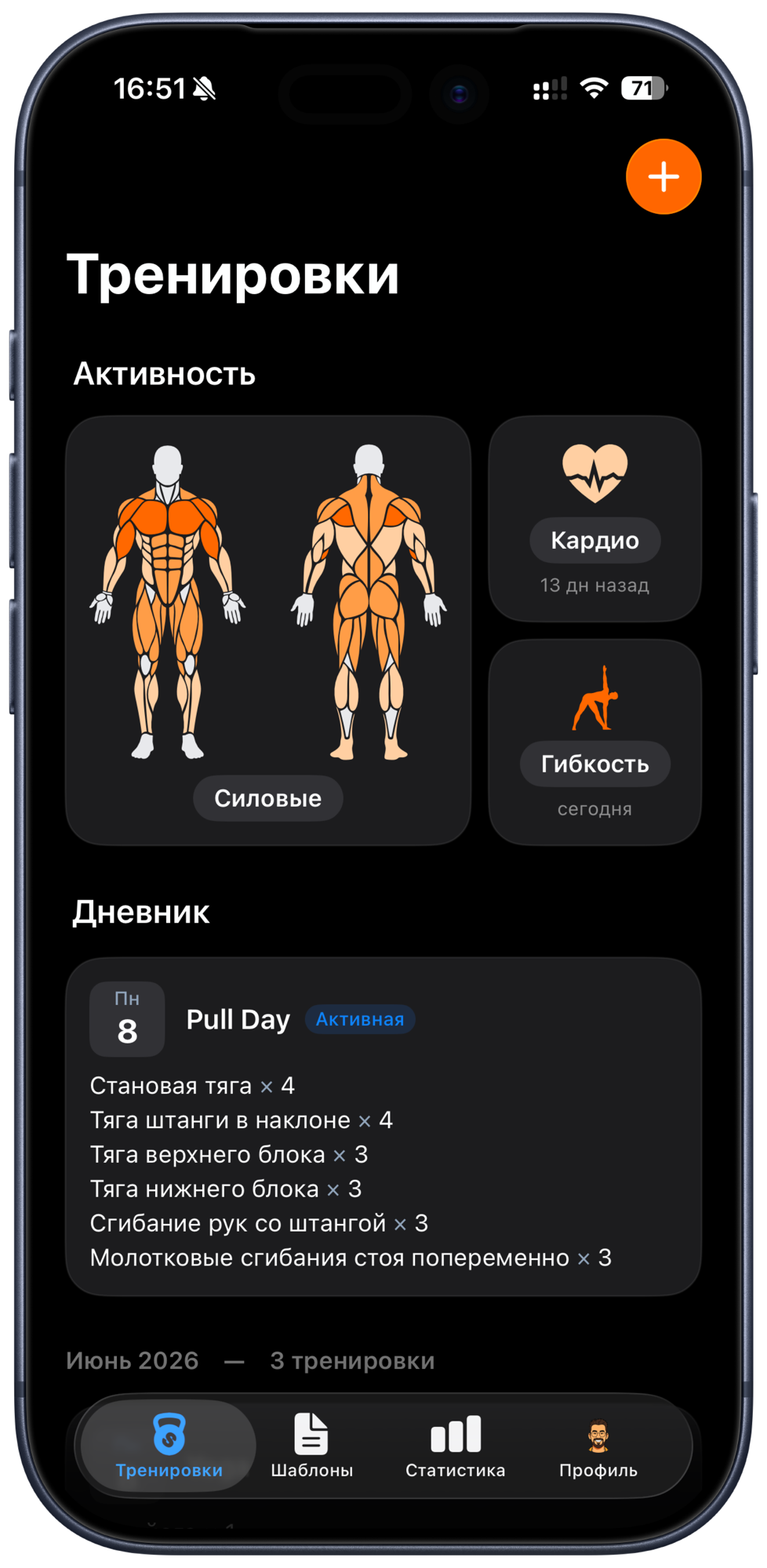
Главная новинка 2.6. На экране Тренировки появился блок «Текущая активность» — анатомические фигуры спереди и сзади, где каждая группа мышц окрашена в зависимости от того, как давно вы её тренировали: свежая нагрузка (0–3 дня) горит ярко, дальше цвет угасает, а то, что не трогали больше трёх недель — белое.
Рядом с фигурами — иконки кардио и гибкости с такой же индикацией по свежести. Набор фигур (мужской/женский) подтягивается из профиля.
- Где найти: вкладка Тренировки, блок над дневником.
- Как читать: ярко — тренировали недавно, бледно — давно, белое — давно или ни разу. Цель — поддерживать всё тело, а не только любимую группу мышц.
- Не нужно? Отключается в Настройки → Настройки интерфейса — и экран вернётся к обычному дневнику.
Важно: это карта формы, а не медицинский трекер — она показывает, какие зоны вы давно не тренировали. А зачем нужна разнообразная нагрузка, мы разобрали в отдельном материале про типы нагрузки и долголетие.
🏆 Рекорды 2.0
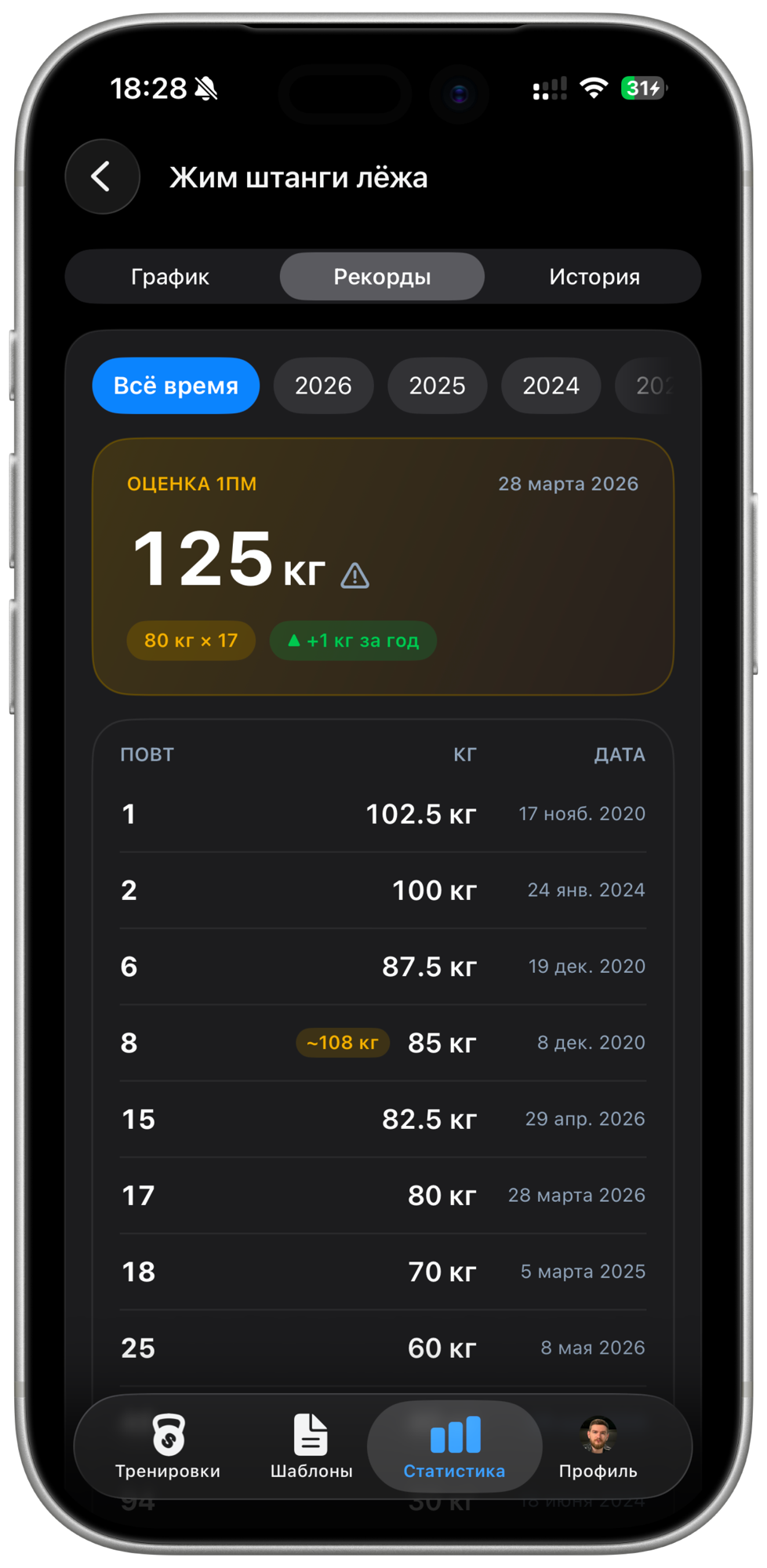
В 2.5 мы полностью переделали вкладку Рекорды внутри статистики упражнения.
- Главная карточка под каждый тип упражнения: оценка 1ПМ (формула Эпли, с пометкой «приблизительно» для подходов на 10+ повторов), максимальный вес / повторы / время / дистанция — и зелёная дельта «▲ +X за год».
- Таблица рекордов под каждый из 7 типов: рекорд по повторам, по весу×времени, самые долгие удержания на статику, быстрейшие забеги.
- Растяжка и йога получили карточку регулярности: всего выполнено, текущая недельная серия, когда делали в последний раз.
📊 Новая статистика
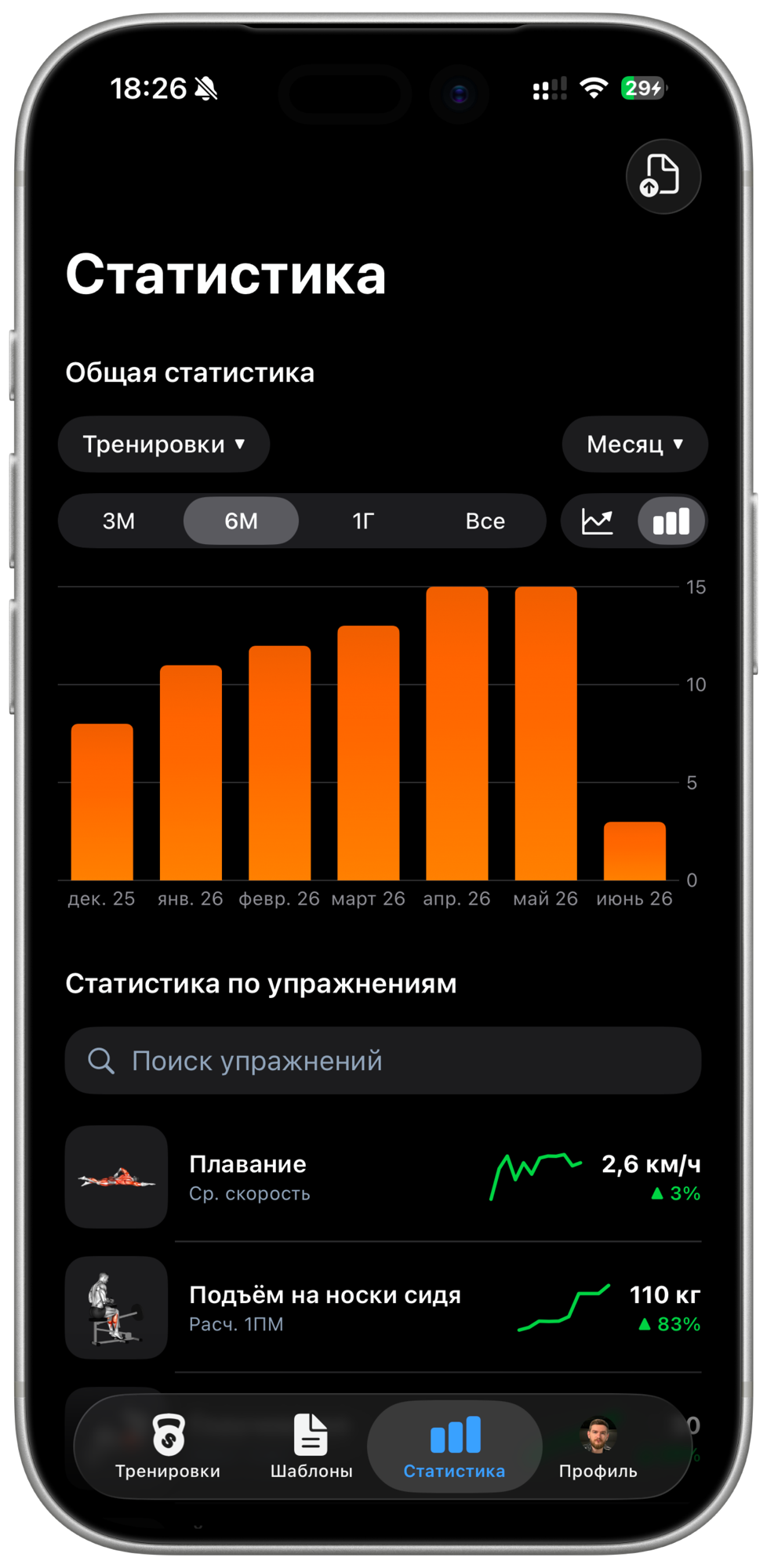
Статистика стала нагляднее. На главном экране — список ваших упражнений, и сразу видно, как идут дела: маленький график тренда, текущее значение и стрелка вверх или вниз.
Тап по упражнению открывает подробные графики.
⚡ Ускорили и улучшили интерфейс
Под капотом за 2.3–2.6 — десятки исправлений, которые меняют ощущение от приложения:
- Тактильный отклик (2.4): аккуратные вибрации на ключевых действиях — отметка подхода, финиш тренировки, таймер. Отключить можно в Профиль → Звук и вибрация.
- Скорость: заметно ускорили приложение — оно открывается мгновенно и работает без подтормаживаний.
- Настройки интерфейса синхронизируются между вашими устройствами (2.6).
- Корзина и подтверждение удаления (2.5): удалили тренировку случайно — восстановите из корзины.
- Нативное контекстное меню по долгому нажатию.
Скорее обновляйтесь в App Store, если ещё этого не сделали.